UE4 Multipurpose Style Shader
This is a breakdown of a multipurpose stylistic shader that I've been working on.
A lot of the PBR code was adapted from Nadrin's Unity PBR code which is available on https://github.com/Nadrin/PBR/blob/master/data/shaders/hlsl/pbr.hlsl
What I have done is adapt this into a UE4 custom material and implement controls that expose the inner workings so that elements such as the shadow and highlight size and hardness can be adjusted. I wanted to use a PBR reference as the Roughness term has become a much easier method of controlling specular highlight size, shape and travel and then allow the user to tweak things according to the type of rendering that they want. This breakdown shows the various capabilities of the shader and expands to some inner workings
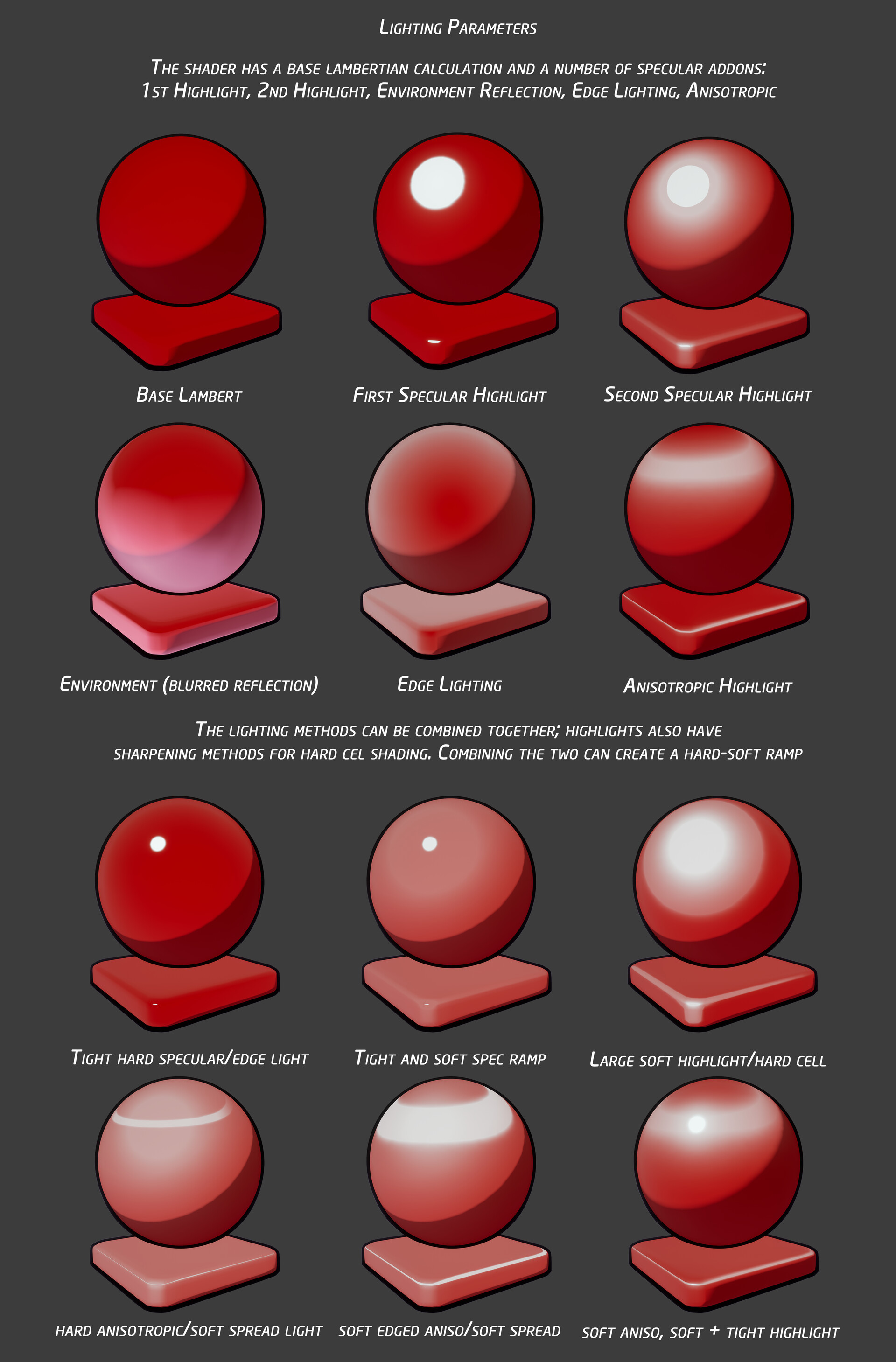
To begin I want to demonstrate that this one shader has a number of light functions already built in and accessible; you can use an anisotropic highlight at the same time as 2 highlights. The above demonstrates the various layers of highlighting available
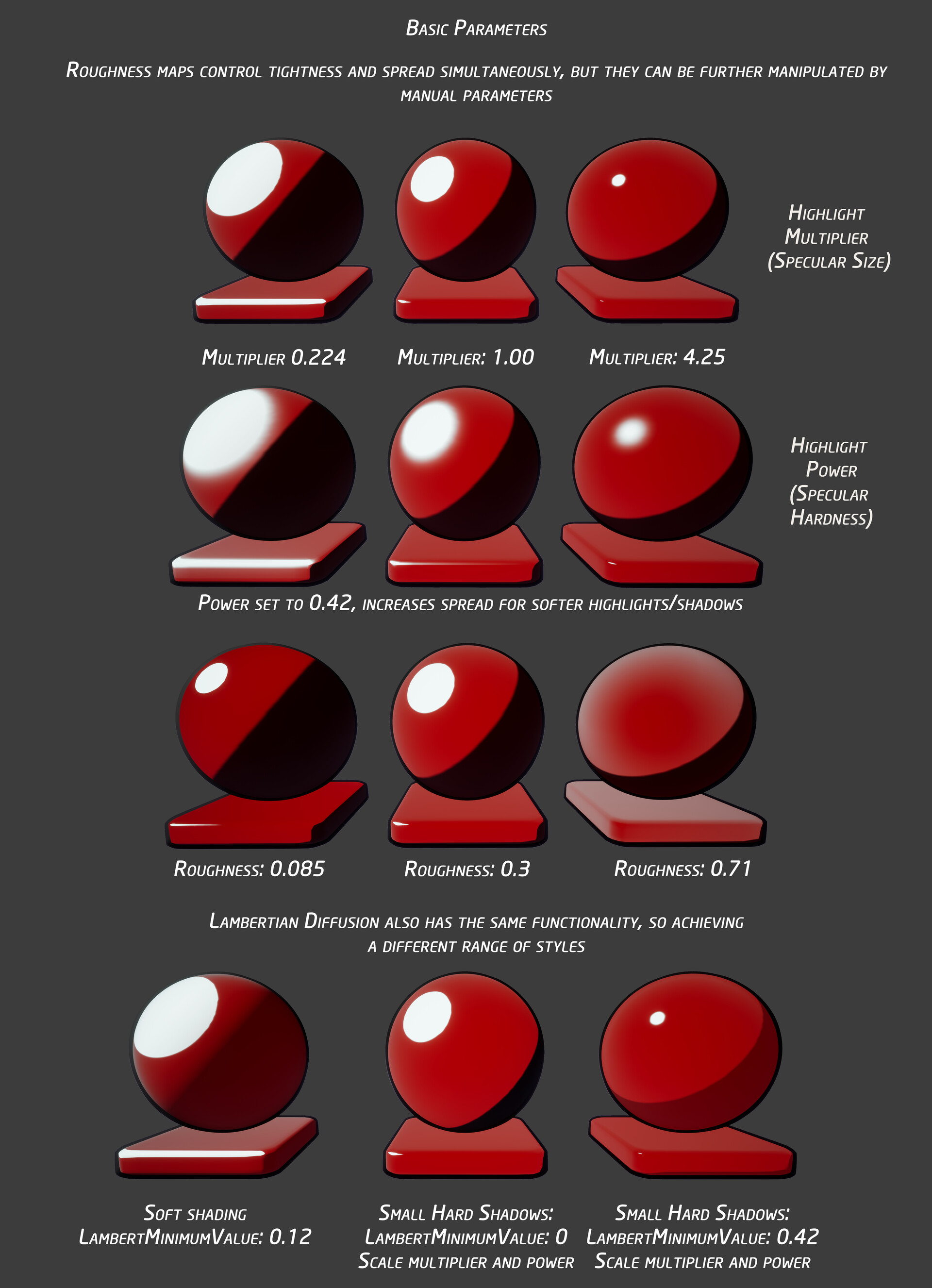
Lambertian shadow and highlight shape and spread are all controllable via a 4 slider system; highlights or shadows can be manipulated and sharpened or softened to the desired level of coverage. Roughness maps can convey the scale of this effect.
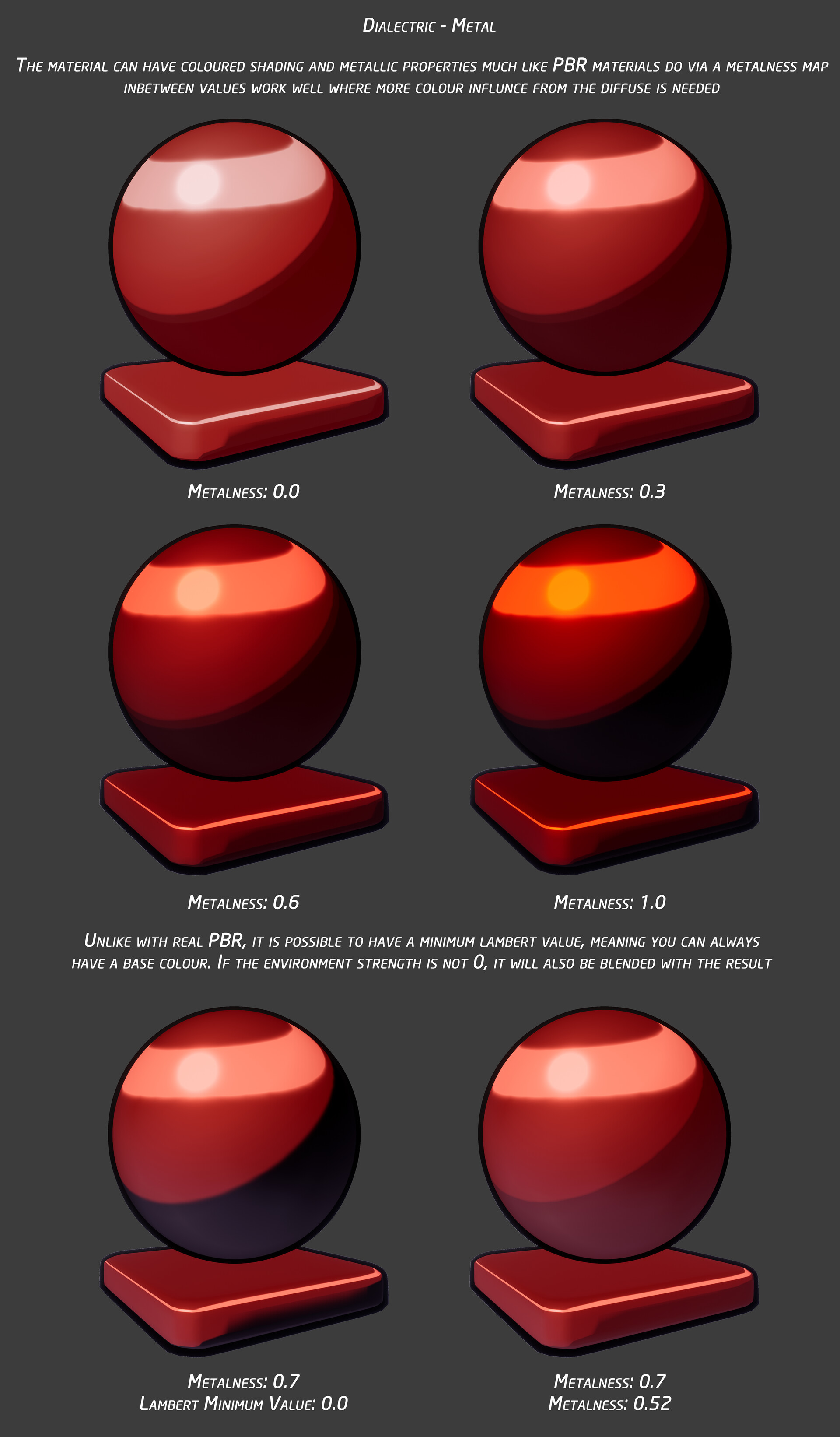
"Metalness" has sometimes been used in PBR to deliberately obtain a certain colourised look; This shader has the addition of a minimum shadow value so a metal may have a colour. This is also blended with the environment reflection map

Control of how much an environment is reflected on a surface is manipulatable through a variable as well; the shader allows you to break PBR customs to achieve particular effects.

The shader has a displacement parameter which can be used with an inverted hull. This allows you to thicken an outline if required as ad-hoc or as an engine function (e.g. when the camera moves further away)

A bunch of examples where the shader has been adjusted for particular effects. Soft shading and highlighting vs hard cel shading, or even a mixture of both .
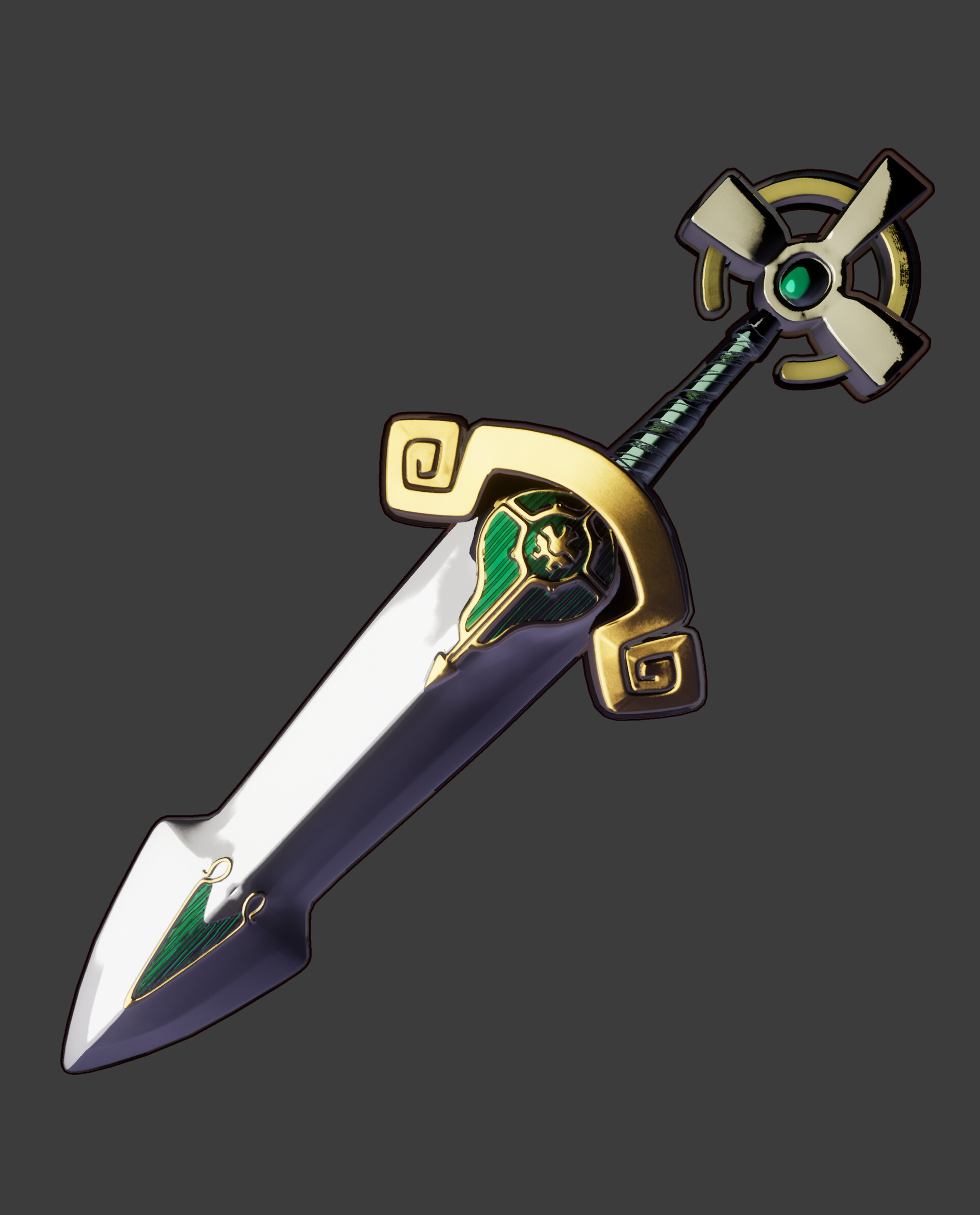
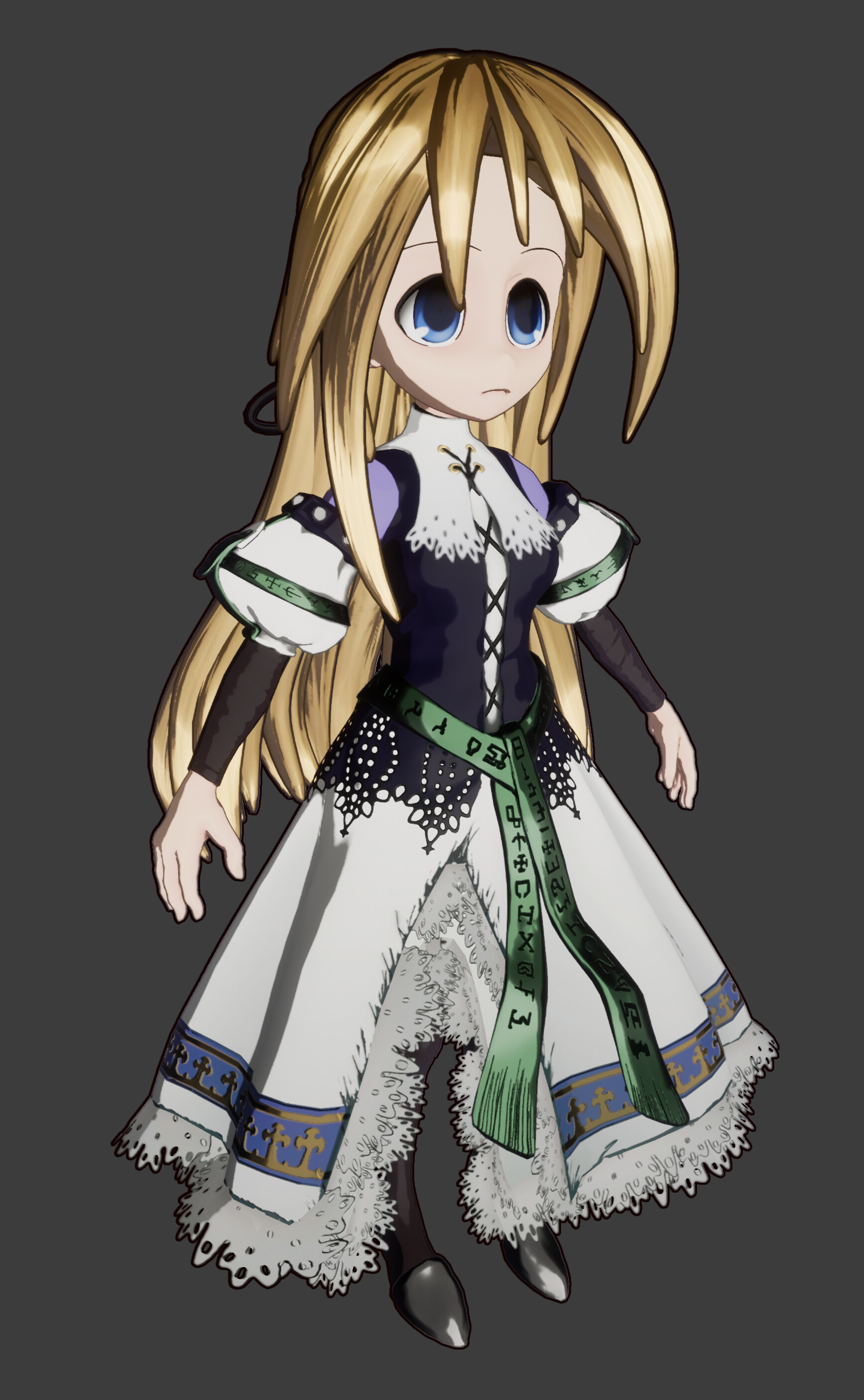
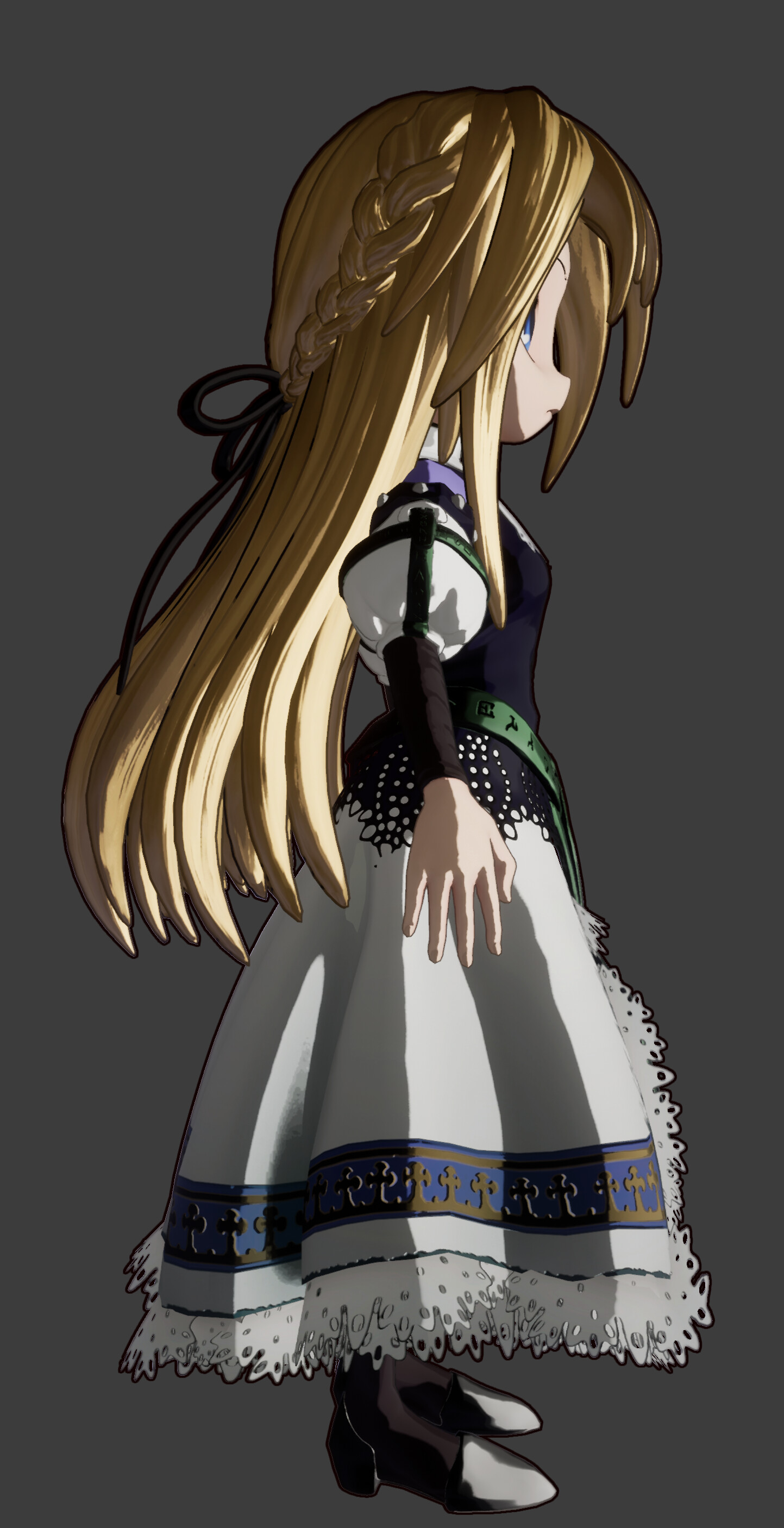
An example project where this shader is used to render Yggdra's Gran Centurio.
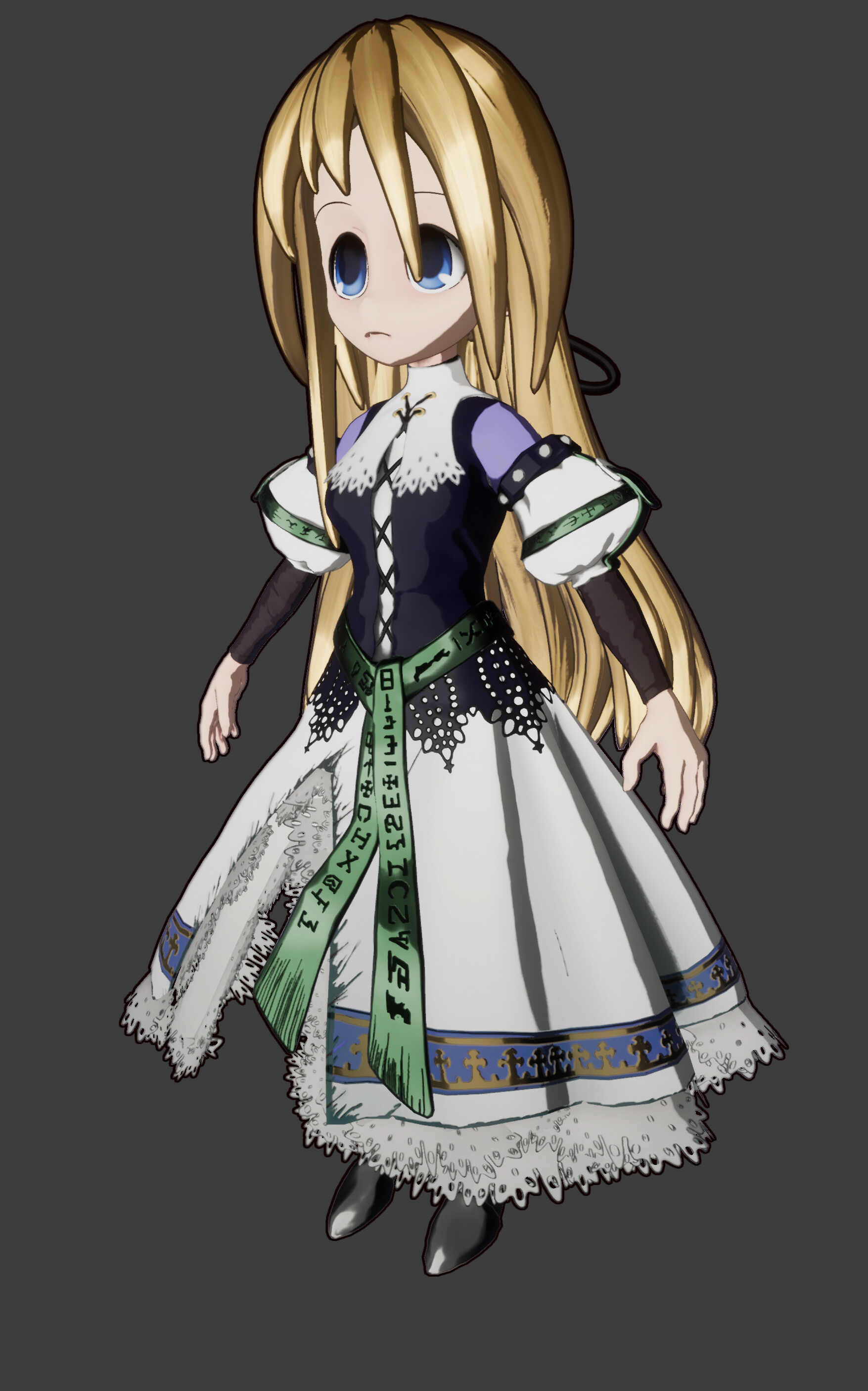
Yggdra rendered with the Style Shader
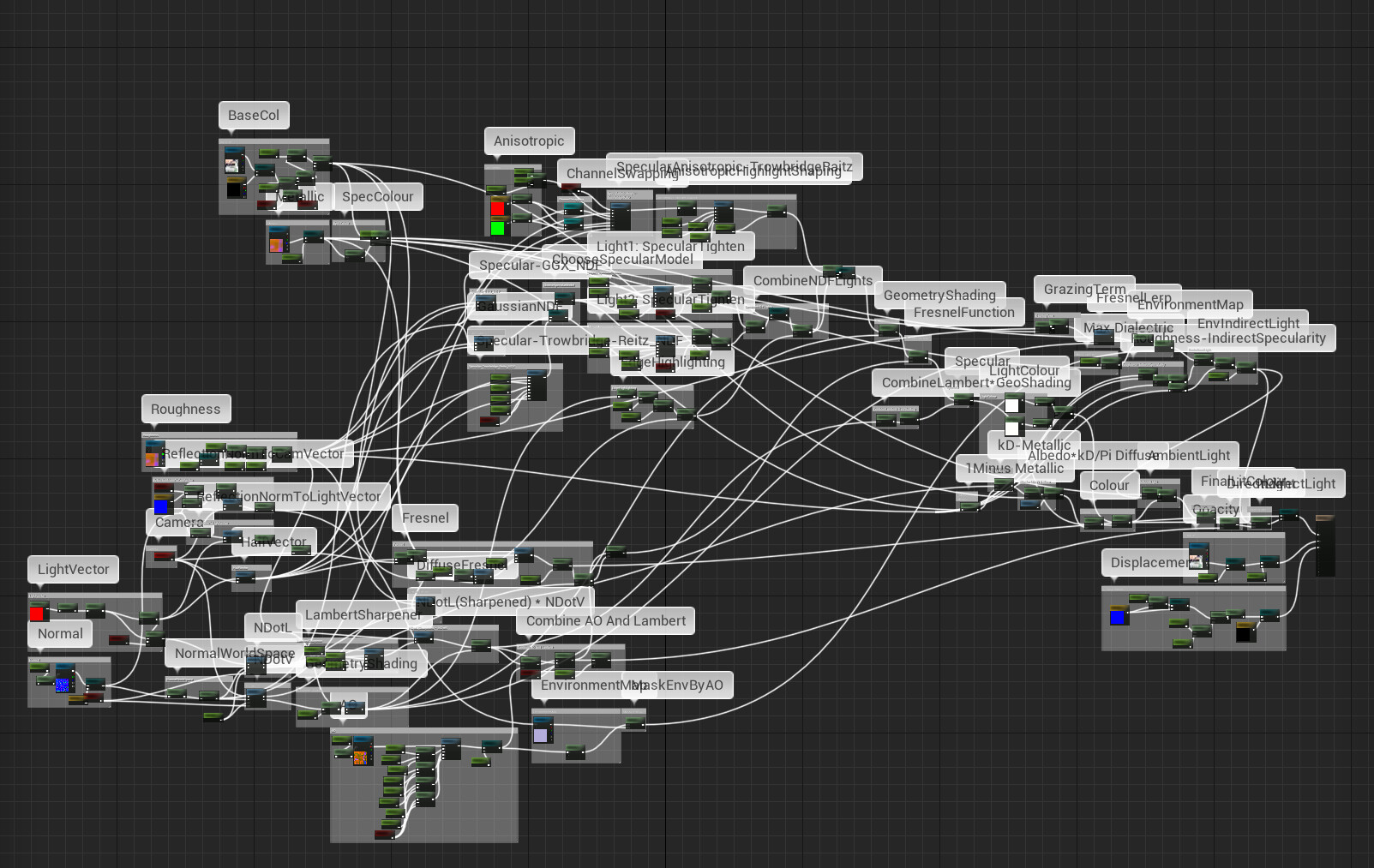
This is just to give you some idea of the scale of the material; it is huge. When looking at the source code in the description though, it is nowhere near as intimidating. For a full explanatain I highly recommend studying the link as it is much easier.
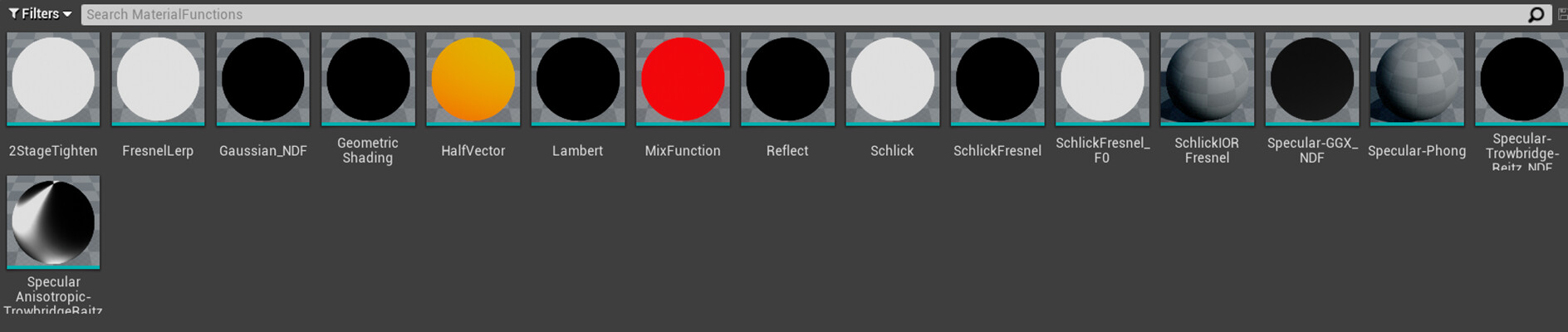
The shader uses custom UE4 functions for reusability and easier reading. We will explore the most prominent functions here.

2 Stage tighten is similar to when we used to play with Specular Colour and Power, but we run it after roughness is calculated on lighting to scale and sharpen/soften light. The first pair controls the initial size, the second sharpen the shape.

This is an adapted version of Trowbridge-Reitz Normal Distribution Function which is used many PBR functions today. Please refer to the linked documentation.

This is an adapted version of Trowbridge-Raitz' Anisotropic specular function. Most of the time shaders will only allow for one type of lighting method, but this shader combines them to enable more unique lighting.Please refer to the linked documentation.
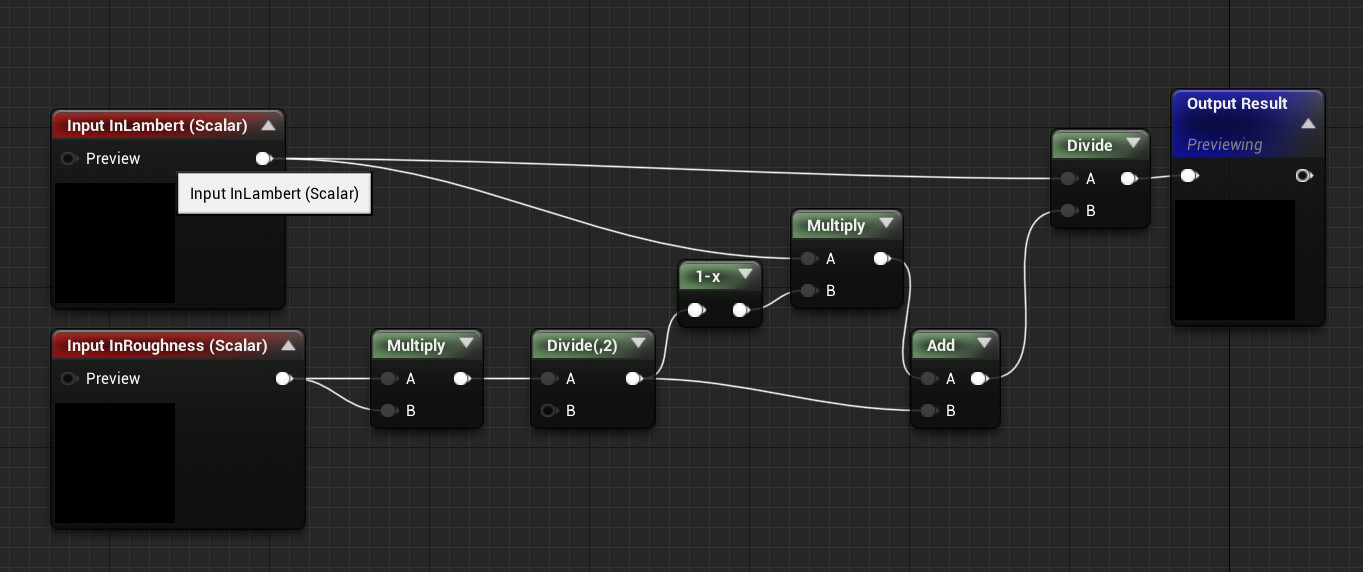
This is an adaptation of the GeometricShading function from the Nadrin PBR document linked in the description

I can go through some of the functions that the shader goes through here:
Light vector is stored in a Material Parameter Collection which can be manipulated via Blue print.
We have one light for now but could add more in future.

The standard lambert function (with optional Half Lambert) goes through the sharpening function mentioned above
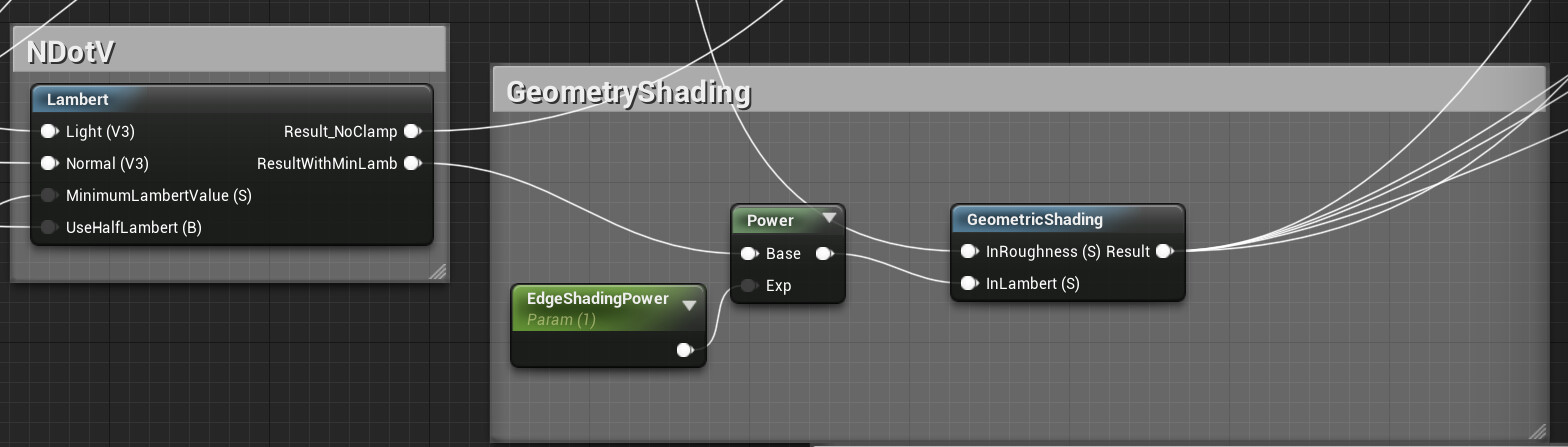
Normal Dot View results in a shadow that forms as the normal faces away from the camera, usually for shading sharp changes in normals.

Base Map, Metallic map access and specular colour calculation.

Roughness goes through optional adjustments such as contrast and multiplication.

Even the AO goes through some sharpening. If the bool is not on, it will use the settings that were applied on the lambert sharpening.

The environment map uses a cube render target source which can be changed by blueprint. this is masked by the AO calculated earlier.

Anisotropic start set up, including the ability to swap channels.

Anisotropic lighting can also be shaped using the 2step Tighten function

Fresnel calculation from the linked document
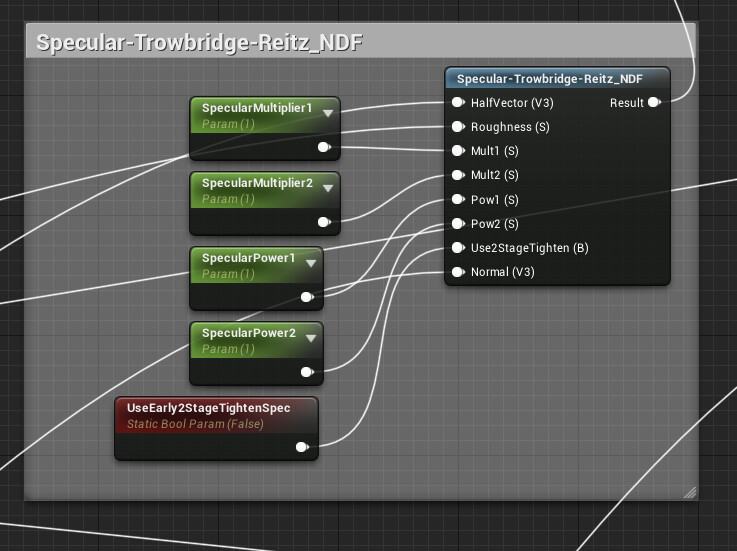
The specular function; There is a bool that allows for the tightening process to be run whilst the function is being run instead of after.

Opacity; the material is a masked material so opacity is possible to run.
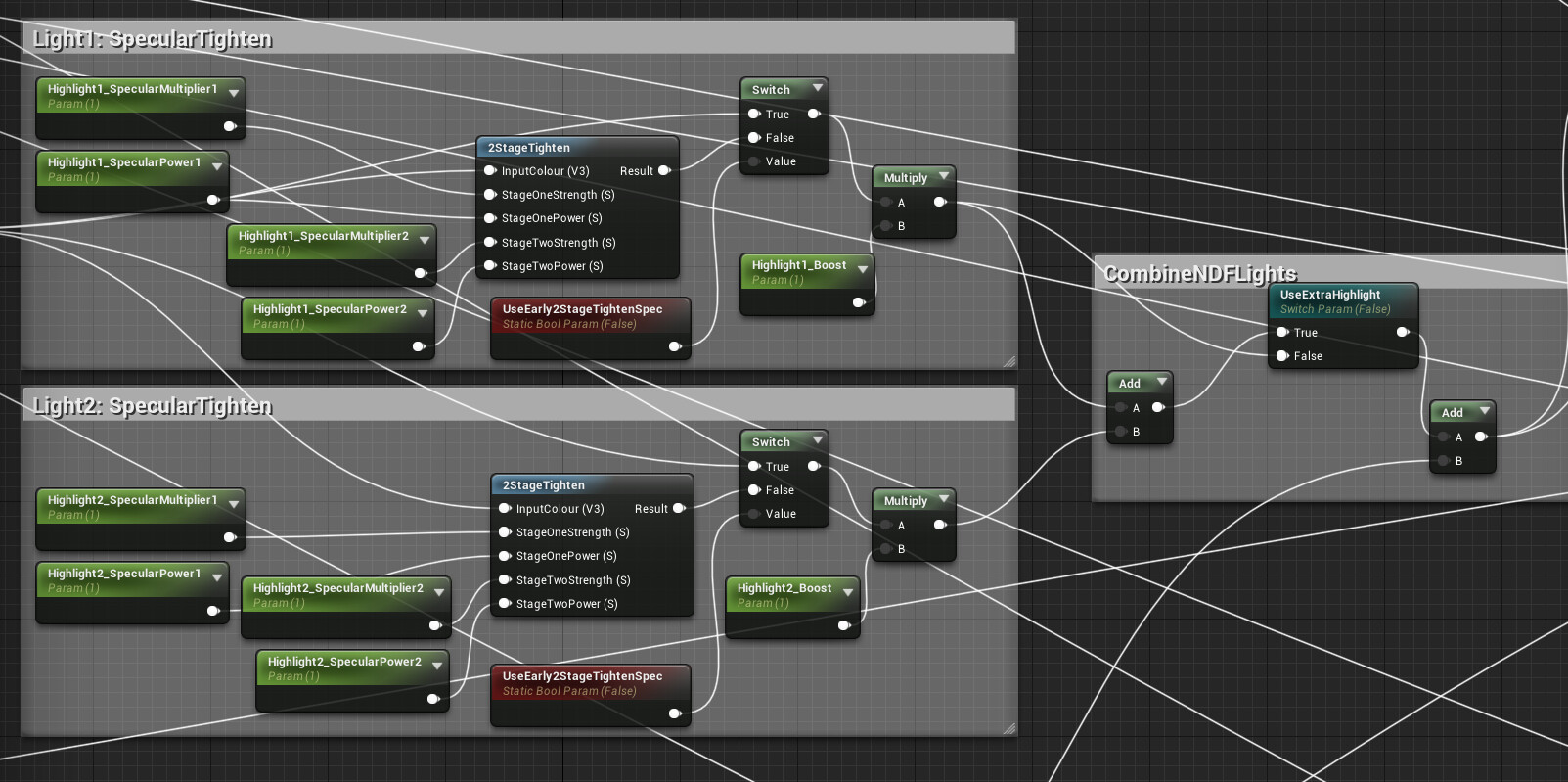
Specular tightening on the two lights. The lights are run twice to allow for more interesting light set ups

Light colour and strength stored in a Material Parameter Collection.
Thats it for the break down. Its really recommended to read the original code to actually understand the functions though. I'm just adapting it and applying my own spin on it.